
An on-page SEO checklist helps optimise webpages so they rank higher in Google and offer better user experience. If your pages are indexed but not ranking, you might be missing some key on-page SEO steps.
“I’ve published content, added keywords, and even followed SEO advice… so why am I still not ranking?”
Don’t worry, you are alone not struggling in the rain, and so are many other fish!!!
Many website owners focus heavily on publishing content but overlook the small on-page details that help Google understand, trust, and rank a page.
I’ve seen great websites struggle just due to weak titles, mismatched search intent, or poor internal linking.
The good news? Most of these issues are fixable.
This on-page SEO checklist will walk you through the most important on-page SEO best practices that still matter in 2026, along with practical examples you can apply immediately.
What Is On-Page SEO and Why Does It Matter?
On-page SEO refers to all the optimisations you make directly on a webpage to help search engines understand your content and determine whether it deserves to rank.
Think of SEO as three layers:
- Technical SEO helps Google crawl your website.
- Off-page SEO helps build authority through backlinks.
- On-page SEO helps Google understand your content and match it with search queries.
Even great content can struggle if the page isn’t optimised properly.
A strong on-site SEO checklist helps search engines understand:
- What the page is about
- Which keywords does it target?
- How useful it is for users
- Whether it deserves to rank above competitors
1. Understand Search Intent First
Before writing content, ask:
Why is someone searching for this keyword?
Most searches fall into three categories:
| Search Intent | Example |
| Informational | What is on-page SEO? |
| Commercial | Best SEO tools for beginners |
| Comparison | Ahrefs vs SEMrush |
One common mistake we make a lot is targeting a keyword but ignoring the intent behind it.
For example, someone searching for an on-page SEO checklist wants practical optimisation steps, but we are providing a lengthy history of search engines. Is that necessary now?
Google has become much better at recognising intent. If your content solves a different problem than the user expects, rankings often suffer.
Long-Tail Keyword Strategy
If your website is relatively new or has lower authority, focus on long-tail keywords first.
For example:
Instead of choosing a difficult keyword like below :
- SEO
Target:
- On-page SEO checklist for beginners
- SEO checklist for small business websites
- website optimization checklist for blogs
They’re less competitive and much easier to rank while building topical authority, and, honestly, from my perspective, they don’t need backlinks to get ranked on top.
If your pages are getting indexed but still receiving very few impressions, you may also want to check our guide on No Impressions in Google Search Console, which explains why some pages struggle to gain visibility even after publication.
2. Title Tag Best Practices
Your title tag is usually the first thing people see in Google search results.
A weak title can reduce both rankings and click-through rates.
Bad Example
On-Page SEO Guide
Better Example
On-Page SEO Checklist: 15 Simple Steps to Improve Google Rankings
Why the second version works better:
- Includes the target keyword
- Explains the benefit
- Creates curiosity
- Sets clear expectations
Real Example
One blog we reviewed was receiving impressions but very few clicks. The title simply said:
“SEO Tips”
After changing it to:
“15 SEO Tips That Help Small Businesses Rank Higher in Google”
CTR improved noticeably within a few weeks.
And also make sure you use relevant keywords only in the topic; don’t mislead Google or readers.
3. Meta Description Best Practices
Your meta description doesn’t directly influence rankings, but it strongly affects clicks.
Think of it as your advertisement inside Google’s search results.
Bad Example
Learn about SEO and website optimisation.
Better Example
Follow this on-page optimisation checklist to improve rankings, increase organic traffic, and optimise every important page element.
A good meta description should:
- Summarise the page
- Include the keyword naturally.
- Explain a clear benefit.
- Encourage users to click.
4. URL Best Practices
URLs should be short, clean, and descriptive.
Bad URL
example.com/blog/post?id=12345&seo=guide
Better URL
oxygenites.com/seo-services/
Best practices:
- Keep URLs short
- Include the main keyword.
- Avoid unnecessary numbers
- Use hyphens instead of underscores.
Simple URLs improve usability and help search engines understand page topics faster.
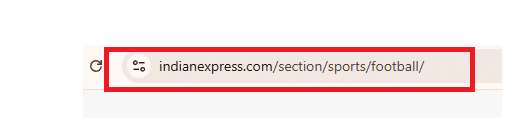
Perfect example of URL structure.
5. Heading Structure Best Practices (H1, H2, H3)
Headings organize your content for both readers and search engines.
A good structure looks like this:
H1: On-Page SEO Best Practices Checklist
H2: Title Tag Best Practices
H2: Meta Description Best Practices
H3: Good Example
H3: Bad Example
Use:
- One H1 per page
- Clear H2 sections
- Supporting H3 sub-sections and H4 sub-sections
This makes content easier to scan and improves readability.
6. Optimise the First 100 Words
The beginning of your content matters more than many people realise.
Within the first 100 words:
- Mention the primary keyword naturally.
- Explain what the page is about
- Answer the user’s question quickly.
Tip: If you are looking to rank on LLM’s, then provide direct, short and crisp answers.
This helps:
- Users confirm they’re in the right place.
- Google understand page relevance faster.
- AI Overviews extract information more easily.
7. Keyword Placement Best Practices
Keywords still matter, but placement matters more than repetition.
Include your primary keyword naturally in:
- Title tag
- H1
- First 100 words
- At least one H2
- Conclusion
Bad Example
“On page SEO checklist is the best on page SEO checklist because every on page SEO checklist…”
Better Example
“Following an on-page SEO checklist helps search engines understand your content more effectively.”
Avoid keyword stuffing. It rarely helps rankings and often hurts readability.
In my personal opinion, we only stuff 5 keywords in any article.
8. Internal Linking Best Practices
Internal links are one of the most overlooked SEO opportunities.
Internal linking becomes even more important when pages are ranking but failing to attract traffic. If you’re facing that issue, read Why My Website Is Ranking But Not Getting Clicks for a detailed explanation.
They help:
- Search engines discover pages.
- Distribute authority
- Improve user engagement
Example Internal Links
When discussing CTR optimisation:
Link to:
How to Improve CTR in Google Search Console
When discussing content quality:
Link to:
How to Fix Low-Quality Content That Google Doesn’t Rank
When discussing visibility problems:
Link to:
Why My Website Is Ranking But Not Getting Clicks
Use descriptive anchor text instead of generic phrases like “click here.”
9. Image SEO Best Practices
Many websites upload images and forget about optimisation.
Best Practices
✔ Compress images before uploading
✔ Use WebP format when possible
✔ Create descriptive filenames
Bad:
image123.jpg
Better:
on-page-seo-checklist-example.jpg
✔ Add meaningful alt text
Example:
“Google Search Console report showing keyword performance”
How to Use Google Search Console to Improve On-Page SEO
Insert the image immediately after this text:
Open:
Google Search Console → Performance → Search Results
Look for:
- High impressions + low CTR
- Declining clicks
- Queries losing rankings
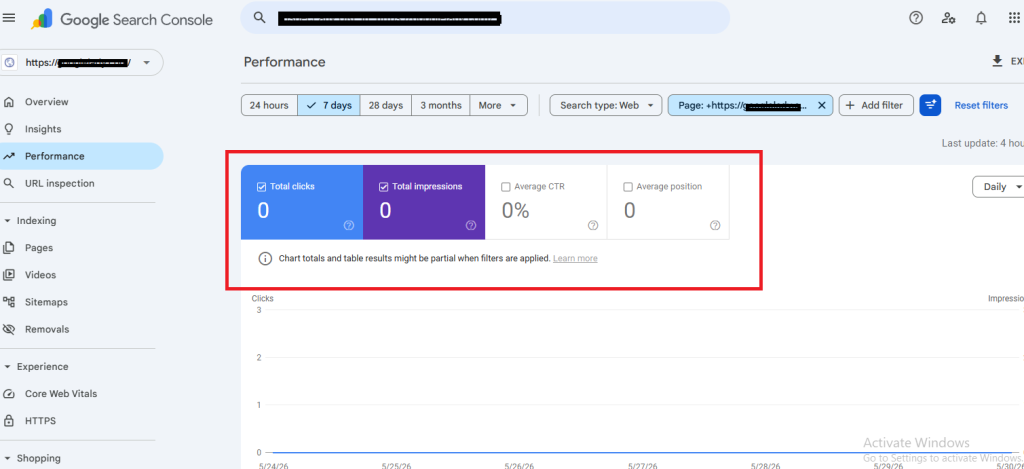
Google Search Console Performance Report showing clicks, impressions, CTR, and average position. This data helps identify pages that have visibility but need on-page SEO improvements to increase clicks and rankings.
10. Content Quality Best Practices
Content quality has become one of Google’s strongest ranking signals.
Google increasingly rewards content that is:
- Helpful
- Original
- Experience-based
- Comprehensive
Many low-ranking pages aren’t technically wrong.
They’re simply too generic.
Example
Instead of:
“SEO is important for websites.”
Write:
“A local business blog increased impressions after restructuring content around search intent and improving internal linking.”
Specific examples build trust.
Content that feels generic often struggles to rank, even when basic SEO is done correctly. If you’re facing this problem, our guide on How to Fix Low-Quality Content That Google Doesn’t Rank covers practical ways to improve content quality and relevance.
11. User Experience Best Practices
User experience influences how people interact with your content.
A page may have excellent SEO but still struggle if it’s difficult to read.
Focus on:
- Short paragraphs
- Clear headings
- Good spacing
- Easy navigation
- Readable font sizes
One thing I’ve noticed repeatedly is that users leave pages that feel overwhelming, even if the information is useful.
12. Mobile-Friendly Design
Most searches now happen on mobile devices.
Your website should be:
- Responsive
- Easy to read on small screens
- Fast-loading
- Easy to navigate
Before publishing any page, check how it looks on mobile.
Many ranking issues start with poor mobile usability.
13. Page Speed Basics
Page speed remains an important ranking and user experience factor.
Use tools like:
- PageSpeed Insights
- Lighthouse
- Chrome DevTools
Simple improvements include:
- Compressing images
- Using caching
- Choosing faster hosting
- Reducing unnecessary scripts
You can use the link below if you want to check yours too.
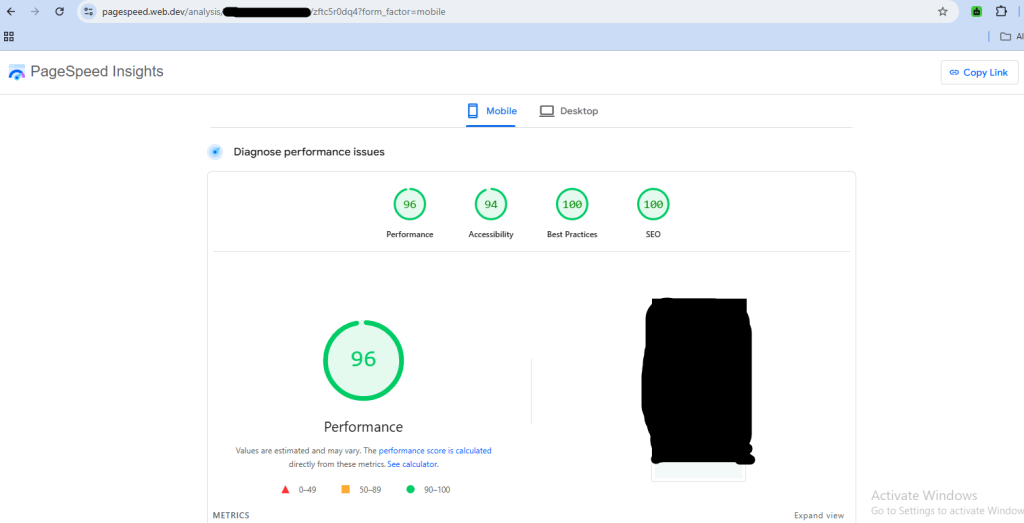
https://pagespeed.web.dev/
14. Use Schema Markup
A schema helps search engines understand your content more effectively.
Recommended schemas:
- FAQ Schema
- Article Schema
- Breadcrumb Schema
Benefits include:
- Better search understanding
- Rich result opportunities
- Improved AI Overview visibility
Many websites ignore schema entirely, which creates a missed opportunity.
15 How to Use Google Search Console to Improve On-Page SEO
This is where on-page SEO becomes practical.
Open:
Google Search Console → Performance → Search Results
Look for:
- High impressions + low CTR
- Declining clicks
- Queries losing rankings
Mini Case Example
One article was ranking in position 6 and receiving thousands of impressions.
The problem?
Almost nobody clicked.
We improved:
- Title tag
- Meta description
- Introduction
Without creating new content, CTR improved, and traffic increased.
This is why Google Search Console should be part of every SEO optimisation checklist.
Quick On-Page SEO Checklist
| Task | Status |
| Search intent matched | ✔ |
| Title optimized | ✔ |
| Meta description optimized | ✔ |
| URL optimized | ✔ |
| H1 and H2 structure | ✔ |
| Keywords placed naturally | ✔ |
| Internal links added | ✔ |
| Images optimized | ✔ |
| Mobile-friendly design | ✔ |
| Page speed checked | ✔ |
| Schema implemented | ✔ |
| Search Console reviewed | ✔ |
About the Author
Shashi, director at Oxygen, has helped businesses improve rankings, organic traffic, and search visibility through practical SEO strategies. His approach focuses on content quality, user experience, technical SEO, and long-term organic growth.
Frequently Asked Questions
What is an on-page SEO checklist?
An on-page SEO checklist is a list of optimisation tasks that help improve a webpage’s rankings, relevance, and user experience.
Does on-page SEO still matter in 2026?
Yes. On-page SEO remains one of the most important ranking factors because it helps Google understand content and match it with user intent.
How often should I update on-page SEO?
Review important pages every few months, especially if rankings, traffic, or CTR begin declining.
What is the difference between on-page SEO and off-page SEO?
On-page SEO focuses on elements within your website, while off-page SEO focuses on external signals such as backlinks, mentions, and authority.
Can I rank without backlinks if my on-page SEO is strong?
For low-competition topics, strong on-page SEO can help pages rank. However, quality backlinks still contribute to authority and long-term ranking growth.
Is keyword stuffing still effective?
No. Modern Google systems prioritise content quality and relevance. Excessive keyword repetition can hurt readability and user experience.
Conclusion
A strong on-page SEO checklist is not about stuffing keywords or following outdated SEO tricks. It’s about helping users find the information they need while making it easy for search engines to understand your content.
Start with search intent. Optimise your titles, headings, images, and internal links. Improve content quality. Monitor performance in Google Search Console.
Small improvements across multiple on-page elements often create bigger ranking gains than publishing dozens of new articles.
If your website is struggling to rank despite publishing content regularly, Oxygen can help identify on-page SEO issues, improve content quality, and build a stronger foundation for long-term organic growth.