by Shashikanth Heerekar | Jun 19, 2026 | Insights
About the Author
Shashi, director at Oxygen, has worked with businesses across different industries to improve rankings, search visibility, and organic traffic. His practical SEO approach focuses on search intent, content quality, user experience, and sustainable long-term growth.
Matching search intent means creating content that gives users exactly what they expect when they search on Google. If your page doesn’t match the intent behind a keyword, achieving rankings becomes much harder, even if your content is well-written and technically optimised.
“I’ve researched keywords, published content, and optimised my page… so why is Google still ranking someone else above me?”
Honestly, this is one of the most common SEO problems website owners face today.
Many people assume rankings depend only on backlinks, content length, or domain authority. Those factors matter, but in 2026, Google is increasingly focused on one thing first:
Did your content satisfy the searcher’s intent?
I’ve seen pages with fewer backlinks outrank stronger competitors simply because they answered the user’s question more clearly and matched what people were actually looking for.
That’s why understanding search intent and SEO has become one of the most important ranking skills today.
What Is Search Intent?
Search intent is simply what a person wants to find when they search online.
In simple words:
What does the user actually want when they type something into Google?
For example:
Someone searching:
“What is search intent?”
wants an explanation.
Someone searching:
“Best SEO tools for small business”
wants recommendations.
Someone searching:
“Buy SEO services.”
is looking for a service provider.
Even though all three searches are SEO-related only, the intent behind them is totally different.
Google’s job is to understand that intent and deliver the most relevant results.
Your job is to create content that matches it.
Why Search Intent Matters in SEO
I won’t say years ago, but yes, up to 2024 and mid-2025, ranking often depended heavily on keywords and backlinks.
Before, I even used to advise my team to do keyword stuffing (not overstuffing) in the article.
Today, Google’s algorithms have changed and have become much smarter.
The search engine analyses:
- User behaviour
- Click patterns
- Content relevance
- Query satisfaction
- Engagement signals
If users land on your page and immediately return to search results because your content doesn’t answer their question, Google notices.
Here, Google is very smart to notice this, but not our hard work, jokes apart!!!
That’s why search intent for SEO is now closely connected to rankings.
I’ve personally reviewed pages that had the following:
- Good backlinks
- Proper keyword usage
- Strong technical SEO
Yet they struggled because the content solved the wrong problem.
The keyword was correct.
But here, the intent was not.
Types of Search Intent
Understanding intent becomes much easier when you break it into categories.
|
Search Intent
|
Purpose
|
Example
|
| Informational |
Learn something |
What is SEO? |
| Navigational |
Find a website |
Oxygen SEO Services |
| Commercial Investigation |
Compare options |
Best SEO agencies in Hyderabad |
| Transactional |
Take action or buy |
Hire an SEO consultant |
Informational Intent
Users want answers.
Examples:
- What is on-page SEO?
- How does Google indexing work?
- What is keyword research?
These searches require educational content.
Commercial Intent
Users are researching before making a decision.
Examples:
- Best SEO tools
- Top digital marketing agencies
- Ahrefs vs SEMrush
Comparison guides perform well here.
Transactional Intent
The user is ready to take action.
Examples:
- Buy SEO services.
- Hire an SEO consultant.
- SEO company near me.
Service pages usually rank better than blog posts for these searches.
How to Identify Search Intent for a Keyword: The easiest way?
Look at Google’s current results.
Google has already analyzed what users want.
This shows you exactly what people want to see when they search for that word.
Ask yourself:
- Are blogs ranking?
- Are service pages ranking?
- Are videos ranking?
- Are the comparison articles ranking?
For example:
Search:
“on page SEO checklist”
You’ll mostly see:
- Detailed guides
- Step-by-step articles
- Checklists
That tells us users want practical instructions, not sales pages.
Google is already revealing the intent.
You simply need to follow the clues.
How to Match Content With Search Intent
This is where many websites make mistakes.
Let’s say someone searches:
“How to match search intent”
They expect:
- Practical examples
- Actionable steps
- Real SEO guidance
But imagine you’re landing on a page that only talks about Google’s history.
Technically related?
Yes.
Helpful?
Not really right.
Google recognises this mismatch.
The better your content aligns with user expectations, the stronger your ranking potential becomes.
A simple approach:
Step 1: Identify the Intent
Research the keyword.
Step 2: Analyse Top Results
Study what currently ranks.
Step 3: Create Better Content
Not longer.
Better.
Clearer.
More useful.
More actionable.
What I observe is that if you are talking about “
on page seo best practice checklist” but in the blog you are discussing “ importance of seo for business ”, that really does not make any sense, as a reader, I get frustrated.
Google has now analysed and is ranking only those blogs that match readers’ intent.
Search Intent Examples (Real SEO Scenarios)
Let’s look at a few practical examples.
Example
Keyword:
Intent:
Informational.
Users want:
- CTR explanation
- Improvement strategies
- Real examples
A sales page won’t rank well here.
How to Build a Keyword Cluster Around Search Intent
One mistake many websites make is targeting random keywords without a content structure.
A better approach is to build topic clusters.
For example:
Main Topic
On-Page SEO
Supporting Articles
- On-Page SEO Best Practices Checklist
- How to Match Search Intent for Better Rankings
- How to Improve CTR in Google Search Console
- How to Fix Low-Quality Content That Google Doesn’t Rank
- Why My Website Is Ranking But Not Getting Clicks
Notice how each article supports the same topic area?
This helps build topical authority.
Google increasingly rewards websites that demonstrate expertise across an entire subject rather than those that publish isolated articles.
On-Page SEO Checklist for Intent Matching
Before publishing any page, check these items:
- Search intent identified
- Top-ranking pages analysed
- Content format matches intent
- Primary keyword included naturally
- User questions answered early
- Clear headings used
- Internal links added
- Examples included
- Mobile-friendly formatting
- Helpful conclusion provided
This simple process prevents many ranking issues before they happen.
Common Search Intent Mistakes
- Targeting the Wrong Intent
A service page targeting an informational keyword.
Or a blog targeting a buying keyword.
This happens more often than you might think.
Sometimes the flow of the article is different, and knowingly or unknowingly, these mistakes happen.
- Writing for Keywords Instead of Users
Some articles mention a keyword repeatedly but never solve the user’s problem.
Google has become very good at identifying this pattern.
See, keyword stuffing is important, but overstuffing keywords without making sense in the related blog is very bad; mostly, people stuff those keywords from competitor blogs, where the sentence breaks its information in order to add keywords.
- Ignoring Competitor Intent Signals
If the entire first page contains guides and tutorials, publishing a product page probably won’t work.
Google already understands what users expect.
Make sure you realise why, to whom, and for what you want users to visit your site; have a clear sense of that, and then continue.
- Overcomplicating the Answer
Many writers spend 800 words explaining background information before answering the question.
Users don’t like that.
Neither do AI overviews.
Provide the answer early.
Then explain the details.
See in my perspective, I don’t believe any article should have limitations on wording; it totally depends on the topic. If the topic is very vast and your target is to conclude that topic in just 500 words, that is totally wrong; change that mindset.
Every article is different, and every keyword is different; don’t limit the article to a limited word count.
Real Example of Search Intent Optimisation
One SEO article we reviewed was targeting the following:
“website traffic recovery”
The content discussed:
- SEO basics
- Keyword research
- Backlinks
Traffic recovery was barely mentioned.
The intent was completely off.
After restructuring the content around:
- Traffic loss causes
- Google updates
- Recovery steps
- Search Console analysis
Impressions increased significantly within a few weeks.
Interestingly, no major backlink campaign was involved.
The improvement came from better intent alignment.
Frequently Asked Questions
What is search intent in SEO?
Search intent is what a person wants to find when they search online. It explains what the user is actually trying to achieve when searching on Google.
Why is search intent important for rankings?
Google aims to show results that best satisfy user intent. Pages that align closely with search intent usually perform better in search results.
Can good content still fail if search intent is wrong?
Yes. Even high-quality content may struggle if it answers a different question than the one users are actually asking.
Does search intent affect AI overview visibility?
Absolutely. AI overviews typically favour pages that provide direct answers, clear structure, and content that closely matches user intent.
How often should I review search intent?
Review intent whenever rankings drop, traffic declines, or search results change significantly for your target keyword.
Conclusion
If there’s one SEO lesson that continues to matter in 2026, it’s this:
Keywords help Google find your content, but search intent helps Google rank it.
Before publishing your next article, ask yourself a simple question:
“Does this page solve the exact problem the searcher came to Google for?”
If the answer is yes, you’re already ahead of many competitors.
And if your website is still struggling with rankings despite publishing content regularly, it may be time to review search intent, content quality, and overall on-page SEO together rather than treating them as separate tasks.
by Shashikanth Heerekar | Jun 3, 2026 | Insights
An on-page SEO checklist helps optimise webpages so they rank higher in Google and offer better user experience. If your pages are indexed but not ranking, you might be missing some key on-page SEO steps.
“I’ve published content, added keywords, and even followed SEO advice… so why am I still not ranking?”
Don’t worry, you are alone not struggling in the rain, and so are many other fish!!!
Many website owners focus heavily on publishing content but overlook the small on-page details that help Google understand, trust, and rank a page.
I’ve seen great websites struggle just due to weak titles, mismatched search intent, or poor internal linking.
The good news? Most of these issues are fixable.
This on-page SEO checklist will walk you through the most important on-page SEO best practices that still matter in 2026, along with practical examples you can apply immediately.
What Is On-Page SEO and Why Does It Matter?
On-page SEO refers to all the optimisations you make directly on a webpage to help search engines understand your content and determine whether it deserves to rank.
Think of SEO as three layers:
- Technical SEO helps Google crawl your website.
- Off-page SEO helps build authority through backlinks.
- On-page SEO helps Google understand your content and match it with search queries.
Even great content can struggle if the page isn’t optimised properly.
A strong on-site SEO checklist helps search engines understand:
- What the page is about
- Which keywords does it target?
- How useful it is for users
- Whether it deserves to rank above competitors
1. Understand Search Intent First
Before writing content, ask:
Why is someone searching for this keyword?
Most searches fall into three categories:
| Search Intent |
Example |
| Informational |
What is on-page SEO? |
| Commercial |
Best SEO tools for beginners |
| Comparison |
Ahrefs vs SEMrush |
One common mistake we make a lot is targeting a keyword but ignoring the intent behind it.
For example, someone searching for an on-page SEO checklist wants practical optimisation steps, but we are providing a lengthy history of search engines. Is that necessary now?
Google has become much better at recognising intent. If your content solves a different problem than the user expects, rankings often suffer.
Long-Tail Keyword Strategy
If your website is relatively new or has lower authority, focus on long-tail keywords first.
For example:
Instead of choosing a difficult keyword like below :
Target:
- On-page SEO checklist for beginners
- SEO checklist for small business websites
- website optimization checklist for blogs
They’re less competitive and much easier to rank while building topical authority, and, honestly, from my perspective, they don’t need backlinks to get ranked on top.
If your pages are getting indexed but still receiving very few impressions, you may also want to check our guide on No Impressions in Google Search Console, which explains why some pages struggle to gain visibility even after publication.
2. Title Tag Best Practices
Your title tag is usually the first thing people see in Google search results.
A weak title can reduce both rankings and click-through rates.
Bad Example
On-Page SEO Guide
Better Example
On-Page SEO Checklist: 15 Simple Steps to Improve Google Rankings
Why the second version works better:
- Includes the target keyword
- Explains the benefit
- Creates curiosity
- Sets clear expectations
Real Example
One blog we reviewed was receiving impressions but very few clicks. The title simply said:
“SEO Tips”
After changing it to:
“15 SEO Tips That Help Small Businesses Rank Higher in Google”
CTR improved noticeably within a few weeks.
And also make sure you use relevant keywords only in the topic; don’t mislead Google or readers.
3. Meta Description Best Practices
Your meta description doesn’t directly influence rankings, but it strongly affects clicks.
Think of it as your advertisement inside Google’s search results.
Bad Example
Learn about SEO and website optimisation.
Better Example
Follow this on-page optimisation checklist to improve rankings, increase organic traffic, and optimise every important page element.
A good meta description should:
- Summarise the page
- Include the keyword naturally.
- Explain a clear benefit.
- Encourage users to click.
4. URL Best Practices
URLs should be short, clean, and descriptive.
Bad URL
example.com/blog/post?id=12345&seo=guide
Better URL
oxygenites.com/seo-services/
Best practices:
- Keep URLs short
- Include the main keyword.
- Avoid unnecessary numbers
- Use hyphens instead of underscores.
Simple URLs improve usability and help search engines understand page topics faster.
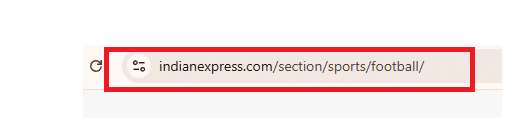
Perfect example of URL structure.
5. Heading Structure Best Practices (H1, H2, H3)
Headings organize your content for both readers and search engines.
A good structure looks like this:
H1: On-Page SEO Best Practices Checklist
H2: Title Tag Best Practices
H2: Meta Description Best Practices
H3: Good Example
H3: Bad Example
Use:
- One H1 per page
- Clear H2 sections
- Supporting H3 sub-sections and H4 sub-sections
This makes content easier to scan and improves readability.
6. Optimise the First 100 Words
The beginning of your content matters more than many people realise.
Within the first 100 words:
- Mention the primary keyword naturally.
- Explain what the page is about
- Answer the user’s question quickly.
Tip: If you are looking to rank on LLM’s, then provide direct, short and crisp answers.
This helps:
- Users confirm they’re in the right place.
- Google understand page relevance faster.
- AI Overviews extract information more easily.
7. Keyword Placement Best Practices
Keywords still matter, but placement matters more than repetition.
Include your primary keyword naturally in:
- Title tag
- H1
- First 100 words
- At least one H2
- Conclusion
Bad Example
“On page SEO checklist is the best on page SEO checklist because every on page SEO checklist…”
Better Example
“Following an on-page SEO checklist helps search engines understand your content more effectively.”
Avoid keyword stuffing. It rarely helps rankings and often hurts readability.
In my personal opinion, we only stuff 5 keywords in any article.
8. Internal Linking Best Practices
Internal links are one of the most overlooked SEO opportunities.
Internal linking becomes even more important when pages are ranking but failing to attract traffic. If you’re facing that issue, read Why My Website Is Ranking But Not Getting Clicks for a detailed explanation.
They help:
- Search engines discover pages.
- Distribute authority
- Improve user engagement
Example Internal Links
When discussing CTR optimisation:
Link to:
How to Improve CTR in Google Search Console
When discussing content quality:
Link to:
How to Fix Low-Quality Content That Google Doesn’t Rank
When discussing visibility problems:
Link to:
Why My Website Is Ranking But Not Getting Clicks
Use descriptive anchor text instead of generic phrases like “click here.”
9. Image SEO Best Practices
Many websites upload images and forget about optimisation.
Best Practices
✔ Compress images before uploading
✔ Use WebP format when possible
✔ Create descriptive filenames
Bad:
image123.jpg
Better:
on-page-seo-checklist-example.jpg
✔ Add meaningful alt text
Example:
“Google Search Console report showing keyword performance”
How to Use Google Search Console to Improve On-Page SEO
Insert the image immediately after this text:
Open:
Google Search Console → Performance → Search Results
Look for:
- High impressions + low CTR
- Declining clicks
- Queries losing rankings
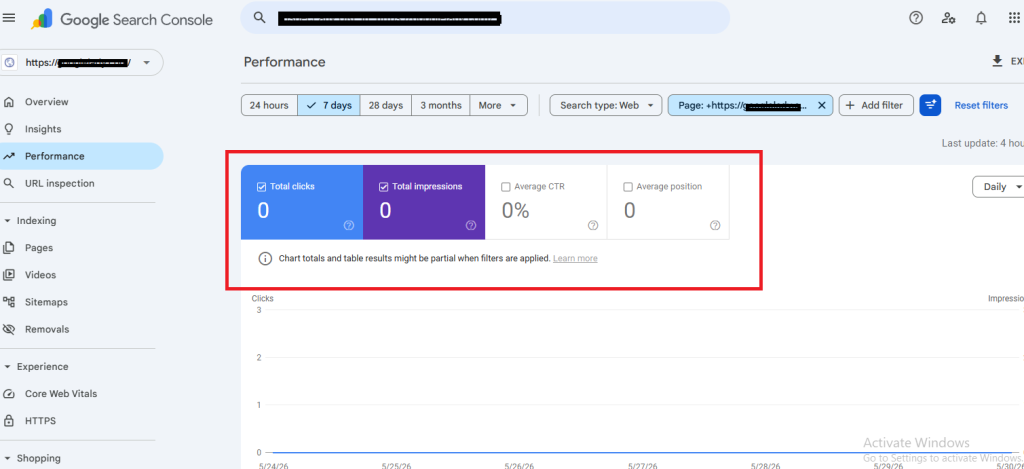
Google Search Console Performance Report showing clicks, impressions, CTR, and average position. This data helps identify pages that have visibility but need on-page SEO improvements to increase clicks and rankings.
10. Content Quality Best Practices
Content quality has become one of Google’s strongest ranking signals.
Google increasingly rewards content that is:
- Helpful
- Original
- Experience-based
- Comprehensive
Many low-ranking pages aren’t technically wrong.
They’re simply too generic.
Example
Instead of:
“SEO is important for websites.”
Write:
“A local business blog increased impressions after restructuring content around search intent and improving internal linking.”
Specific examples build trust.
Content that feels generic often struggles to rank, even when basic SEO is done correctly. If you’re facing this problem, our guide on How to Fix Low-Quality Content That Google Doesn’t Rank covers practical ways to improve content quality and relevance.
11. User Experience Best Practices
User experience influences how people interact with your content.
A page may have excellent SEO but still struggle if it’s difficult to read.
Focus on:
- Short paragraphs
- Clear headings
- Good spacing
- Easy navigation
- Readable font sizes
One thing I’ve noticed repeatedly is that users leave pages that feel overwhelming, even if the information is useful.
12. Mobile-Friendly Design
Most searches now happen on mobile devices.
Your website should be:
- Responsive
- Easy to read on small screens
- Fast-loading
- Easy to navigate
Before publishing any page, check how it looks on mobile.
Many ranking issues start with poor mobile usability.
13. Page Speed Basics
Page speed remains an important ranking and user experience factor.
Use tools like:
- PageSpeed Insights
- Lighthouse
- Chrome DevTools
Simple improvements include:
- Compressing images
- Using caching
- Choosing faster hosting
- Reducing unnecessary scripts
You can use the link below if you want to check yours too.
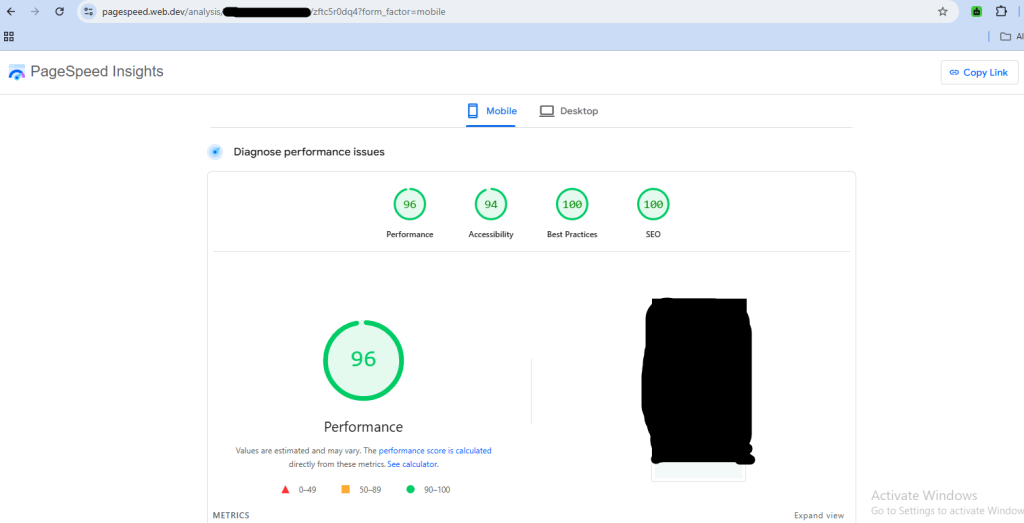
https://pagespeed.web.dev/
14. Use Schema Markup
A schema helps search engines understand your content more effectively.
Recommended schemas:
- FAQ Schema
- Article Schema
- Breadcrumb Schema
Benefits include:
- Better search understanding
- Rich result opportunities
- Improved AI Overview visibility
Many websites ignore schema entirely, which creates a missed opportunity.
15 How to Use Google Search Console to Improve On-Page SEO
This is where on-page SEO becomes practical.
Open:
Google Search Console → Performance → Search Results
Look for:
- High impressions + low CTR
- Declining clicks
- Queries losing rankings
Mini Case Example
One article was ranking in position 6 and receiving thousands of impressions.
The problem?
Almost nobody clicked.
We improved:
- Title tag
- Meta description
- Introduction
Without creating new content, CTR improved, and traffic increased.
This is why Google Search Console should be part of every SEO optimisation checklist.
Quick On-Page SEO Checklist
| Task |
Status |
| Search intent matched |
✔ |
| Title optimized |
✔ |
| Meta description optimized |
✔ |
| URL optimized |
✔ |
| H1 and H2 structure |
✔ |
| Keywords placed naturally |
✔ |
| Internal links added |
✔ |
| Images optimized |
✔ |
| Mobile-friendly design |
✔ |
| Page speed checked |
✔ |
| Schema implemented |
✔ |
| Search Console reviewed |
✔ |
About the Author
Shashi, director at Oxygen, has helped businesses improve rankings, organic traffic, and search visibility through practical SEO strategies. His approach focuses on content quality, user experience, technical SEO, and long-term organic growth.
Frequently Asked Questions
What is an on-page SEO checklist?
An on-page SEO checklist is a list of optimisation tasks that help improve a webpage’s rankings, relevance, and user experience.
Does on-page SEO still matter in 2026?
Yes. On-page SEO remains one of the most important ranking factors because it helps Google understand content and match it with user intent.
How often should I update on-page SEO?
Review important pages every few months, especially if rankings, traffic, or CTR begin declining.
What is the difference between on-page SEO and off-page SEO?
On-page SEO focuses on elements within your website, while off-page SEO focuses on external signals such as backlinks, mentions, and authority.
Can I rank without backlinks if my on-page SEO is strong?
For low-competition topics, strong on-page SEO can help pages rank. However, quality backlinks still contribute to authority and long-term ranking growth.
Is keyword stuffing still effective?
No. Modern Google systems prioritise content quality and relevance. Excessive keyword repetition can hurt readability and user experience.
Conclusion
A strong on-page SEO checklist is not about stuffing keywords or following outdated SEO tricks. It’s about helping users find the information they need while making it easy for search engines to understand your content.
Start with search intent. Optimise your titles, headings, images, and internal links. Improve content quality. Monitor performance in Google Search Console.
Small improvements across multiple on-page elements often create bigger ranking gains than publishing dozens of new articles.
If your website is struggling to rank despite publishing content regularly, Oxygen can help identify on-page SEO issues, improve content quality, and build a stronger foundation for long-term organic growth.
by Shashikanth Heerekar | Jun 1, 2026 | Insights
“My content is indexed… but Google still refuses to rank it.”
Honestly, this has become one of the biggest SEO frustrations recently. Many website owners are publishing more content than ever, yet rankings barely budge. Impressions stay low. Traffic feels invisible. And eventually the question shows up:
“Why is Google not ranking my content even after writing so much?”
In many cases, the issue is not backlinks or domain age.
It’s content quality.
Google’s ranking systems in 2026 have become much stricter about the following:
- usefulness,
- originality,
- topical relevance,
- user satisfaction,
- and experience-based information.
Thin, repetitive, AI-heavy, or surface-level pages now struggle badly, especially after Google’s Helpful Content updates and AI Overview expansion.
And honestly, I’ve seen this happen even on websites with decent authority.
The content technically exists… But it doesn’t give Google enough confidence to rank it prominently.
That’s the real problem behind most low-quality content SEO issues today.
What Google Actually Considers “Low-Quality Content”
A lot of people think low-quality content simply means the following:
- bad grammar,
- short articles,
- or missing keywords.
But modern Google systems now evaluate much deeper signals.
Low-quality content often looks like this:
- generic explanations copied from other blogs,
- AI-generated paragraphs with no experience,
- weak search intent matching,
- repetitive wording,
- outdated information,
- thin answers,
- or pages created only to target keywords.
Sometimes the content is not technically “wrong”…
It’s just forgettable.
That’s something many websites struggle with now.
Why Google Is Not Ranking My Content
Usually, it comes down to one of these problems:
| Problem |
What Happens |
| Weak search intent match |
Users leave quickly |
| Thin content |
Google sees low value |
| Generic AI-style writing |
Poor differentiation |
| No topical authority |
Competitors look stronger |
| Poor structure |
Hard to scan/read |
| Outdated information |
Feels less trustworthy |
| No experience signals |
Weak E-E-A-T |
While content quality is the primary factor, some quality backlinks still help signal authority to Google. Focus on content first, then build natural links over time.
And honestly, Google has become much better at identifying pages created mainly “to rank” rather than genuinely help users.
That shift became even more noticeable after recent AI-driven search changes.
How to Identify Low-Quality Content on Your Website
Before fixing content, first identify which pages are underperforming.
Check Google Search Console
Go to:
Performance → Search Results
Look for pages with:
- low impressions,
- poor average position,
- very low CTR,
- or declining clicks.
These pages often indicate:
- weak relevance,
- poor search intent alignment,
- or content quality issues.
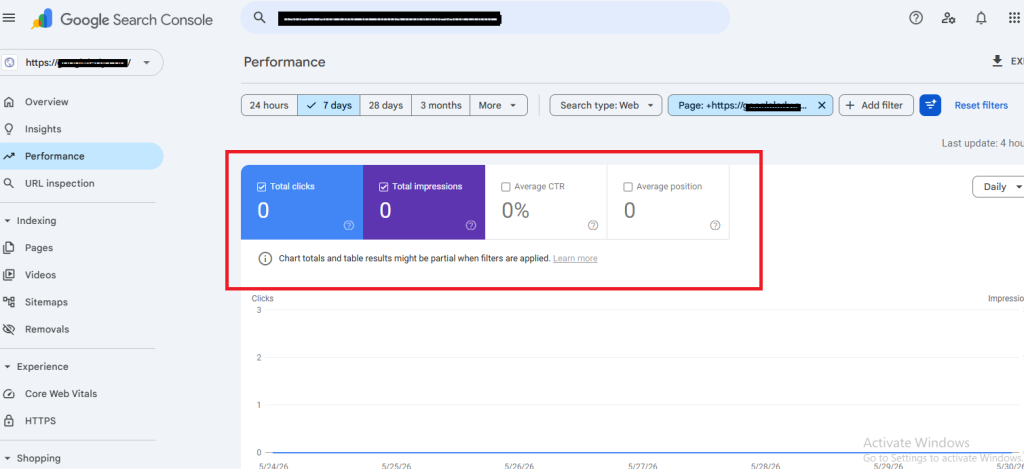
These real screenshots help readers understand what weak-performing pages actually look like inside SEO tools.
Look for Pages With High Bounce Signals
If users:
- click,
- skim briefly,
- then leave quickly.
Google may interpret that as weak satisfaction.
This doesn’t mean bounce rate alone is a ranking factor…
…but poor engagement patterns usually signal a deeper problem.
Compare Your Content With Top Results
Search for your target keyword manually.
Then ask:
- Does my article answer the query faster?
- Is it more useful?
- Does it feel more trustworthy?
- Does it include real examples?
- Would I personally save or share this page?
Honestly, that last question reveals a lot.
Technical SEO Issues That Quietly Hurt Rankings
Sometimes the content itself is not the only issue.
Even genuinely helpful content can struggle if technical SEO problems confuse Google’s crawling or indexing systems.
Check the following:
- Check if pages are marked “Crawled – currently not indexed” in Google Search Console
- Ensure no noindex tags or robots.txt blocking on important pages
- Verify Core Web Vitals and page load speed using PageSpeed Insights
- Submit and validate your sitemap structure
- Clean up parameter URLs causing index bloat
- Add internal links pointing to underperforming content
How to Improve Content Quality for SEO
This is where most websites either recover…
Or continue struggling.
Typically, content improvements show results in 2–8 weeks after fixes. Be patient and monitor Google Search Console for gradual changes.
Let’s make it practical.
1. Fix Search Intent First
This is the biggest issue on many websites.
Example:
Someone searches:
“How to improve content quality for SEO”
But the article mostly discusses the following:
- backlink building,
- technical SEO,
- or keyword tools.
That’s an intent mismatch.
Users wanted:
- content improvement steps,
- quality signals,
- readability fixes,
- Practical optimisation advice.
Google increasingly rewards pages that solve the exact problem users searched for.
If your site has lower domain authority, target long-tail keywords first. They’re less competitive and easier to rank while you build topical authority.
2. Add Real Experience & Observations
This matters much more now.
Google’s helpful content systems increasingly favour:
- practical insights,
- real examples,
- lived experience,
- and person-first writing.
Honestly, many AI-generated articles fail because they sound emotionally flat.
They explain topics… But never feel experienced.
Even small observations help.
Example:
“I’ve seen pages improve rankings simply after rewriting generic introductions and adding clearer examples.”
That human layer changes how content feels.
3. Remove Thin & Repetitive Sections
A lot of low-quality content becomes bloated with:
- filler sentences,
- repeated explanations,
- keyword repetition,
- and unnecessary fluff.
Modern SEO writing performs better when:
- clearer,
- tighter,
- and more purposeful.
Sometimes deleting weak sections improves rankings more than adding new words.
4. Improve Structure & Readability
Google increasingly favors content that is
- easy to scan,
- mobile-friendly,
- visually organised,
- and simple to understand.
Use:
- short paragraphs,
- descriptive headings,
- bullet points,
- comparison tables,
- and FAQ sections.
LLMs and AI Overviews also extract information more easily from structured content.
5. Add Helpful Depth, Not Just Length
Longer articles do not automatically rank better.
This is something many websites misunderstand.
Google looks for:
- completeness,
- usefulness,
- topical coverage,
- and clarity.
Not random word count inflation.
A focused 1,500-word article can outperform a weak 4,000-word page easily.
6. Update Outdated Content
Old content often loses rankings slowly over time.
Especially in:
- SEO,
- AI,
- digital marketing,
- and technology topics.
Update:
- examples,
- statistics,
- screenshots,
- references,
- and search trends.
Freshness still heavily influences trust and engagement.
Tools That Help Improve Content Quality
Google Search Console
Track impressions, average position, CTR, indexing issues, and underperforming pages.
PageSpeed Insights
Useful for checking mobile performance, Core Web Vitals, loading speed, and usability issues.
Ahrefs / SEMrush
Helpful for: competitor analysis, keyword gaps, backlink analysis, and content audits.
RivalFlow AI
Useful for: AI-powered content auditing, topical coverage analysis, and identifying weak content areas.
Real Example: Why One Article Failed to Rank
I once reviewed a blog post targeting “SEO content optimisation.
The article had:
- decent length,
- keywords,
- And okay formatting.
- But rankings stayed terrible.
Why?
Because the content sounded like every other SEO article online.
- It repeated:
- generic advice,
- obvious tips,
- and textbook explanations.
We improved it by:
- adding real examples,
- simplifying explanations,
- restructuring headings,
- And matching search intent more clearly.
Within a few weeks:
- Impressions improved,
- Rankings started climbing.
- And CTR increased too.
Interestingly, we barely changed backlinks.
The issue was content usefulness.
Signs Your Content Might Feel “Low Quality” to Google
It Sounds Generic
If users could replace your brand name with another site and nothing changes…
The content probably lacks originality.
It targets keywords more than users.
Pages written mainly for keyword placement usually feel unnatural now.
Google increasingly recognises this pattern.
It Avoids Specific Examples
Specificity builds trust.
Generic advice rarely stands out anymore.
It Doesn’t Fully Answer the Query
This happens constantly.
A page may mention the topic… but never clearly solve the actual problem.
That hurts rankings badly.
Content Quality Checklist for Better Rankings
Before publishing, check this:
✔ Does the article match search intent clearly?
✔ Does it answer the query quickly?
✔ Are headings easy to scan?
✔ Does it include real examples or observations?
✔ Is the content genuinely useful?
✔ Does it avoid fluff and repetition?
✔ Is the information updated for 2026?
✔ Would a real user actually bookmark or share this?
Honestly, that final question matters more than many SEO tricks.
AI Overviews Are Changing Content Standards
This is important now.
Google AI Overviews often summarise:
- direct answers,
- concise explanations,
- structured insights,
- and trustworthy sources.
That means low-value filler content struggles even more today.
Pages that perform better usually:
- answer quickly,
- structure information clearly,
- provide practical expertise,
- And feel genuinely human.
This shift is changing SEO writing completely.
Internal Linking Suggestions
You can internally connect this article with:
- content optimisation guides,
- technical SEO tutorials,
- Google Search Console articles,
- organic traffic recovery posts,
- Search intent strategy blogs.
Suggested anchors:
- “Improving content quality”
- “Why websites lose rankings”
- “Google Search Console analysis”
- “Recovering organic traffic”
Schema Opportunities
This article works well with:
- FAQ schema,
- Article schema,
- HowTo schema.
Structured data helps:
- AI extraction,
- rich results,
- and topical understanding.
About the Author
Shashi, director at Oxygen, has worked closely with businesses struggling with low rankings, weak content performance, and SEO visibility issues. Through practical SEO optimisation and content quality improvements, he has helped websites recover lost impressions, improve rankings, and build stronger organic topical authority.
Frequently Asked Questions
Why is Google not ranking my content?
Usually because the content lacks strong alignment with search intent, originality, depth, or user-focused helpfulness. Generic or repetitive pages often struggle to rank today.
What is low-quality content in SEO?
Low-quality SEO content often includes thin explanations, keyword stuffing, outdated information, repetitive wording, or content created primarily for rankings rather than users.
How to improve content quality for SEO?
Focus on search intent, clearer structure, practical examples, updated information, and genuinely useful explanations. Experience-based writing also helps significantly.
Can AI-generated content rank on Google?
Yes, but only if it provides genuine value, originality, and strong usefulness. Thin AI-generated filler content often struggles after helpful content updates.
Does updating old content improve rankings?
Yes, especially when you improve accuracy, freshness, search intent alignment, and overall usefulness. Content updates often help recover lost visibility.
Conclusion
If your content isn’t ranking, publishing more articles isn’t usually the solution.
In many cases, the better move is improving usefulness, clarity, originality, and real user value.
Modern SEO is no longer just about inserting keywords into long articles.
Google increasingly rewards content that:
solves problems clearly,
feels genuinely helpful,
and reflects real understanding of the topic.
That’s what stronger rankings are built on now in 2026.
by Shashikanth Heerekar | May 25, 2026 | Insights
“My pages are getting impressions in Google Search Console… but why is nobody clicking?”
If you’re seeing impressions but no clicks, the issue is usually not rankings alone. In most cases, your title tag, meta description, search-intent match, or overall SERP appearance fails to convince users to click your result over competing pages.
And honestly, this has become a much bigger SEO problem in 2026.
Google search results are now crowded with:
- AI Overviews,
- Reddit discussions,
- YouTube videos,
- featured snippets,
- shopping cards,
- and branded content.
So even if your page ranks decently, users still need a reason to choose your result.
That’s where CTR becomes important.
Many website owners focus only on rankings and impressions. But traffic growth often depends on something much simpler:
How attractive your page looks in search results.
I’ve personally seen pages ranking at #4 with almost zero traffic, while another page below them gets far more clicks just because its title felt more useful and specific.
That’s why learning how to improve CTR in Google Search Console matters now more than ever.
What Does CTR Mean in Google Search Console?
CTR (Click-Through Rate) shows the following:
How many people clicked your page after seeing it in Google search results?
Example:
- 5,000 impressions
- 100 clicks
CTR = 2%
So if your website gets the following:
- high impressions,
- decent rankings,
- but low clicks,
Google Search Console will usually reveal it clearly.
This is exactly where many low-CTR SEO problems first become visible.
Why Impressions But No Clicks Happen
This frustrates many website owners because the page technically appears in Google.
But users are skipping it.
Usually, the problem comes from the following:
- weak title tags,
- boring meta descriptions,
- outdated snippets,
- poor search intent match,
- or stronger-looking competitors.
At first, many people assume the following:
“Maybe my content is bad.”
But honestly, that’s not always true.
Sometimes the article itself is useful. The real issue is simply how the result appears in search listings.
A weak snippet can quietly kill traffic even when rankings are okay.
How to Find Low CTR Pages in Google Search Console
Before fixing anything, you first need a proper diagnosis.
Step 1: Open Performance Report
Go to:
Google Search Console → Performance → Search Results
Now check:
- impressions,
- clicks,
- average position,
- CTR.
Look for pages that have:
- High impressions,
- Decent rankings,
- But an unusually low CTR.
Those pages usually have the biggest growth opportunity.
Step 2: Compare CTR by Query
Sometimes a page performs differently for different keywords.
Example:
| Query |
Position |
CTR |
| Improve CTR in Google Search Console |
4.1 |
1.2% |
| low CTR SEO |
6.5 |
5.7% |
This usually indicates:
- title mismatch,
- intent mismatch,
- or stronger SERP competition.
Step 3: Check Search Intent
This step gets ignored a lot.
If users search:
“How to improve click-through rate in Google”
They expect:
- practical fixes,
- Search Console analysis,
- title examples,
- CTR strategies,
- step-by-step guidance.
Not generic SEO theory.
An intent mismatch alone can significantly reduce clicks.
Common Reasons Your CTR Is Low
Your title tag feels generic.
Weak example:
SEO Guide for Websites
Better example:
How to Improve CTR in Google Search Console Without Changing Rankings
The second title:
- sounds more specific,
- solves a clear problem,
- and naturally creates curiosity.
Users click clarity.
Your meta description adds no real value.
A lot of websites either
- Skip meta descriptions,
- Or stuff keywords awkwardly.
Bad example:
Best SEO strategies for CTR optimisation and website growth.
Better example:
Learn why your pages get impressions but no clicks and discover practical CTR fixes using real Google Search Console data.
One sounds robotic.
The other sounds useful.
Your competitors look more relevant.
Sometimes your rankings are okay.
But competitors:
- Use fresher dates.
- Answer the query faster,
- Look more trustworthy,
- Structure snippets better.
Users naturally click the result that feels safer and clearer.
AI Overviews Are Reducing Clicks
This is one of the biggest SEO changes happening right now.
Google AI Overviews now answer many informational queries directly inside search results.
So users:
- Click fewer websites,
- Skim snippets quickly,
- And choose only highly relevant-looking pages.
This is exactly why increasing organic CTR has become such an important focus in SEO recently.
Average CTR Benchmarks by Position
| Position |
Average CTR |
| 1 |
25–30% |
| 3 |
10–15% |
| 5 |
5–8% |
| 10 |
1–2% |
So if your page ranks:
- around position #3,
- but gets only 1% CTR,
That’s usually a strong signal your snippet needs optimisation.
Step-by-Step Process to Improve CTR in Google Search Console
Step 1: Find low-CTR pages in Google Search Console
Step 2: Check CTR by query and by page
Step 3: Analyse the SERP and search intent
Step 4: Rewrite weak title tags
Step 5: Improve meta descriptions
Step 6: Update freshness and trust signals
Step 7: Add structured data and track changes over time
How to Improve CTR in Google Search Console
If your page is already ranking but not getting clicks, this becomes a CTR problem rather than a ranking issue.
Now let’s get practical.
These are the fixes that genuinely boost CTR.
1. Rewrite Weak Title Tags
Your title is often the biggest factor in CTR.
Try:
- “How”
- “Why”
- “Fix”
- “Mistakes”
- “Guide”
- “Examples”
Naturally, where relevant.
Before vs After Example
Weak:
SEO Tips for Businesses
Better:
Why Your Website Gets Impressions But No Clicks on Google
The second version:
- Matches frustration,
- Aligns with intent,
- And feels more clickable.
2. Improve Meta Descriptions
Meta descriptions should:
- Explain value,
- Create clarity,
- Encourage curiosity naturally.
Avoid:
- Robotic wording,
- Keyword stuffing,
- Vague promises.
Good meta descriptions quietly improve clicks.
3. Match Search Intent Properly
This matters more than many people realize.
If users want:
- quick fixes,
- practical advice,
- Search Console examples,
Don’t overwhelm them with unrelated SEO theory.
Google increasingly rewards intent alignment.
4. Group Pages by Search Intent
Inside Search Console, separate pages into:
- Informational,
- Commercial,
- Navigational.
Different intent types need different CTR strategies.
Example:
- Informational pages need curiosity + usefulness.
- Commercial pages need trust + benefits.
5. Improve Freshness Signals
Users trust fresh-looking pages more.
Update:
- Titles,
- Examples,
- Screenshots,
- Dates,
- SEO references.
Especially in digital marketing topics.
6. Use FAQ & Structured Data
FAQ schema helps:
- Improve visibility,
- Expand SERP space,
- And improve relevance signals.
This is especially useful for:
- Impressions but no clicks,
- Low CTR SEO,
- Search Console tutorials.
Real CTR Improvement Example
One blog post I reviewed had:
- Good rankings,
- Rising impressions,
- But almost no traffic.
The original title was
Technical SEO Guide
We changed it to:
How to Fix Low CTR in Google Search Console
Then improved:
- Meta description,
- Intro clarity,
- FAQ section.
Within a few weeks:
- CTR improved noticeably.
- Clicks increased,
- And engagement improved too.
Interestingly, rankings barely changed initially.
That’s how powerful snippet optimization can be sometimes.
Key Takeaways
If you want to improve CTR in Google Search Console:
✔ Find high-impression low-CTR pages
✔ Rewrite weak title tags
✔ Improve meta descriptions
✔ Match search intent better
✔ Compare competitor snippets
✔ Use FAQ schema opportunities
✔ Update outdated pages regularly
✔ Track CTR changes weekly
Small snippet improvements can create surprisingly large traffic gains over time.
Common CTR Mistakes to Avoid
Changing Everything at Once
Update pages gradually.
Otherwise, it becomes difficult to identify what actually improved CTR.
Using Clickbait Titles
Misleading titles may increase clicks temporarily…
But they often hurt engagement later.
Ignoring Mobile SERPs
Many users now search on mobile devices.
Long, cluttered titles often get badly cut off.
Copying Competitor Titles
Users notice repetitive SERP patterns quickly.
Originality matters more now.
Internal Linking Suggestions
You can internally connect this article with:
- Search Console tutorials,
- Title tag optimization guides,
- Meta description best practices,
- Improving organic traffic articles,
- Search for intent strategy blogs.
Suggested anchors:
- “Google Search Console analysis”
- “Improving organic CTR”
- “SEO title optimization”
- “Why websites get impressions but no clicks”
Schema Opportunities for This Article
This topic works well with:
- FAQ schema,
- HowTo schema,
- Article schema.
These improve:
- Rich result eligibility,
- AI Overview understanding,
- And semantic search visibility.
Frequently Asked Questions
Why am I getting impressions but no clicks?
Google is showing your page in search results, but users are choosing competing results instead. Weak titles, outdated snippets, poor intent match, or low trust signals are common reasons.
Is low CTR bad for SEO?
Low CTR is not a direct Google penalty, but consistently poor click-through rates may indicate that your page is less attractive or relevant than competitors’.
How do I improve CTR in Google Search Console?
Start by identifying:
- high-impression low-CTR pages,
- weak titles,
- poor meta descriptions,
- and intent mismatches.
Then optimize snippets gradually and monitor results.
Does changing title tags improve CTR?
Yes, often significantly. Even small title improvements can increase clicks when they better reflect user intent and create stronger relevance.
How often should I check CTR in Search Console?
For active SEO campaigns, checking weekly or biweekly is usually enough to identify trends and optimization opportunities.
Final Thoughts
If your website gets impressions but no clicks, don’t panic immediately.
In many cases, the problem is not rankings…
It’s a presentation.
Modern SEO is no longer just about appearing in Google search results.
It’s about:
- standing out,
- matching intent,
- earning trust quickly,
- and convincing users that your result deserves the click.
That’s what improves CTR now in 2026.
About the Author
Shashi, a director at Oxygen, has worked on multiple SEO campaigns to improve CTR, organic traffic, and performance in Google Search Console. Through practical SEO optimisation and analysis of real search behavior, he has helped businesses improve not just rankings but also actual clicks and user engagement.
by Shashikanth Heerekar | May 15, 2026 | Insights
If your website is ranking but not getting clicks, the problem is usually not rankings alone; it’s CTR (Click-Through Rate). Google is showing your page in search results, but users don’t feel convinced enough to click your snippet instead of competing results.
And honestly, this situation has become very common in 2026.
Between AI Overviews, featured snippets, Reddit discussions, video results, and stronger competition inside search results, simply “ranking” no longer guarantees traffic.
That’s the biggest misunderstanding many website owners still have:
Ranking ≠ traffic
Impressions ≠ clicks
Visibility ≠ engagement
CTR is the missing layer.
Sometimes your page can rank in position #3 and still receive fewer clicks than a competitor sitting below you. I’ve personally seen this happen multiple times while analysing Google Search Console reports for SEO clients.
Usually, the issue comes down to the following:
- weak title tags,
- poor search intent match,
- outdated-looking snippets,
- low trust signals,
- or SERP competition.
At first, many people assume their content is bad. But in reality, the issue is often just how the page seems in Google search results.
What CTR Actually Means in SEO
CTR (Click-Through Rate) means the following:
How many people clicked your result after seeing it in Google?
Example:
- 1,000 impressions
- 20 clicks
CTR = 2%
A low CTR usually means the following:
- Your snippet is not attractive enough.
- Users prefer competing results,
- or the search results do not properly match the user’s intent.
This is why Google Search Console matters so much here.
It reveals:
- impressions,
- average ranking position,
- clicks,
- and CTR patterns.
To be very honest, CTR data often explains traffic problems more quickly than rankings do.
Why Ranking Does Not Always Mean Traffic
This is where many website owners get confused.
They think:
“My keyword is ranking on page one, so traffic should automatically come.”
But modern Google search results are crowded now.
Users see:
- AI Overviews,
- videos,
- Reddit threads,
- featured snippets,
- shopping results,
- maps,
- People Also Ask boxes.
So even if your ranking is decent, your result still needs to compete on both a visual and an emotional level.
Google may rank your page…
But users still decide whether it deserves the click.
How to Diagnose Low CTR in Google Search Console
This is the section most articles miss completely.
Before changing titles randomly, first properly diagnose the real reason.
Step 1: Check Average Position
Inside Google Search Console:
Go to:
Performance → Search Results
Look at:
- average position,
- impressions,
- CTR.
If your page ranks:
- position 1–3,
- But CTR is extremely low.
Then the problem usually is.
- title optimisation,
- search intent,
- or trust perception.
Step 2: Compare CTR by Query
Sometimes one keyword performs badly while another performs well.
Example:
| Query |
Position |
CTR |
| Why the website gets no clicks |
3.2 |
1.1% |
| Improve Google CTR. |
6.4 |
5.8% |
This usually indicates:
- intent mismatch,
- or weak wording for specific searches.
Step 3: Compare Your Snippet With Competitors
Search your target keyword manually.
Then compare:
- titles,
- meta descriptions,
- dates,
- emotional relevance,
- Authority signals.
Ask:
“Would I personally click my result over these?”
That question alone reveals a lot.
Step 4: Check Search Intent
This is huge.
If users search:
“Why is my website ranking but not getting clicks?”
They expect:
- CTR explanations,
- Search Console analysis,
- Click psychology,
- Practical fixes.
Note:
- backlink tutorials,
- hosting recommendations,
- or generic SEO advice.
Intent mismatch destroys CTR very quickly.
Step 5: Check Whether Your Snippet Feels Outdated
Freshness affects clicks more than many people realize.
Users naturally trust the following:
- recent updates,
- current-year relevance,
- practical examples,
- modern SEO discussions.
Especially after AI search updates
Common Reasons Your Ranking Page Gets No Clicks
Your title tag is too generic
Weak example:
SEO Tips for Websites
Better example:
Why Your Website Ranks on Google But Still Gets No Traffic
The second one:
- reflects frustration,
- matches intent,
- and creates curiosity naturally.
Your meta description has no clear benefit.
A lot of websites either
- Ignore meta descriptions
- or stuff keywords unnaturally.
People click outcomes, not keywords.
Weak:
Best SEO strategies for website optimisation and growth.
Better:
Learn why your ranking page still gets no clicks and how to improve CTR using real Search Console data and practical fixes.
Your competitors look more trustworthy.
Sometimes your rankings are okay.
But competitors:
- look fresher,
- sound clearer,
- use stronger headlines,
- or appear more authoritative.
Users naturally gravitate toward the result that feels safer and more useful.
AI Overviews Are Reducing Clicks
This is one of the biggest SEO shifts happening right now.
Google AI Overviews answer many queries directly inside search results.
So users:
- Click fewer links,
- Skim snippets faster,
- and choose only the most compelling results.
This is exactly why CTR optimisation matters more in 2026 than it did before.
Average CTR Benchmarks by Position
| Position |
Average CTR |
| 1 |
30–35% |
| 3 |
12–18% |
| 5 |
6–7% |
| 10 |
0–1% |
So if your page ranks:
- around position #4,
- but gets only 1% CTR,
That’s usually a strong sign your snippet needs improvement.
Real Search Console Example
One SEO article I reviewed ranked around position #5.
The page had:
- decent impressions,
- stable rankings,
- but extremely low clicks.
Before:
Position: 5.2
CTR: 0.9%
After title change:
CTR: 3.1%
Clicks: +3x
The original title was
Technical SEO Guide for Websites
We changed it to:
Why Your Website Still Isn’t Getting Traffic After SEO
Nothing else changed initially.
Within a few weeks:
- CTR improved,
- Clicks increased,
- And engagement improved noticeably.
That situation honestly showed how much search psychology matters now.
CTR Fix Checklist (Practical Action Plan)
Before publishing or updating your page, check this:
✔ Rewrite titles using “how,” “why,” or “fix” naturally
✔ Match the exact search intent
✔ Improve meta descriptions with a clear benefit
✔ Add current-year relevance when appropriate
✔ Compare your snippet with top competitors
✔ Improve trust signals and formatting
✔ Add FAQ schema opportunities
✔ Update outdated wording or examples
✔ Use Google Search Console CTR analysis regularly
Simple changes often outperform heavy SEO tweaks.
Common Mistakes That Hurt CTR
Focusing Only on Rankings
Many websites celebrate the following:
“We reached page one!”
But rankings alone don’t guarantee traffic anymore.
Writing Titles for Google Instead of Humans
Keyword stuffing still hurts clicks badly. No overstuffing of keywords.
Users avoid titles that feel robotic.
Ignoring SERP Competition
Your page competes against:
- AI Overviews,
- YouTube videos,
- Reddit discussions,
- featured snippets,
- trusted brands.
Modern CTR optimisation requires understanding the entire search results page.
How to Measure CTR Improvements
After updating:
- titles,
- meta descriptions,
- formatting,
- and search intent alignment,
monitor:
Google Search Console → Performance
Watch:
- CTR changes,
- impressions,
- clicks,
- average position.
Usually, CTR improvements appear before ranking improvements.
Internal Linking Opportunities
You can internally connect this article with:
- Title tag optimisation guides,
- Search Console tutorials,
- Content optimisation blogs,
- Search intent strategy articles,
- Improving organic traffic guides.
Suggested internal anchors:
- “Google Search Console analysis”
- “Improving organic traffic”
- “SEO click-through rate optimisation”
- “Why websites lose traffic”
FAQ Schema Opportunity
This article is ideal for the FAQ schema because users search highly repetitive CTR-related questions.
You can add the FAQ schema for:
- Impressions but no clicks,
- Low CTR,
- Title optimization,
- Ranking without traffic,
- Improving Google CTR.
This improves:
- Rich result opportunities,
- AI extraction,
- And search visibility
About the Author
Shashi, director at Oxygen, has worked with businesses struggling with SEO visibility, low CTR, and Google Search Console performance issues. Through practical SEO optimisation and real search behaviour analysis, he has helped websites improve not just rankings but actual clicks and organic traffic growth.
Frequently Asked Questions
Why am I getting impressions but no clicks?
Google is showing your page in search results, but users are choosing competing results instead. Weak titles, poor meta descriptions, outdated snippets, or intent mismatches are common reasons.
Is low CTR bad for SEO?
Low CTR is not a direct penalty factor, but consistently poor click-through rates may indicate that your page feels less relevant or attractive than competitors’.
How do I improve CTR in Google Search Console?
Start by analysing:
- high-impression keywords,
- low CTR queries,
- ranking positions,
- and competitor snippets.
Then improve:
- title tags,
- meta descriptions,
- and search intent matching.
Why is my page ranking, but traffic is low?
Because rankings alone no longer guarantee clicks. SERP competition, AI Overviews, snippet quality, and trust perception all influence traffic.
Does changing the title help CTR?
Yes — often significantly. Even small title improvements can increase clicks if they better match user intent and create stronger relevance.
Next Steps You Can Take Today
If your rankings are decent but clicks remain low:
- Open Google Search Console
- Identify pages with:
- high impressions,
- low CTR
- Compare your snippet against the top competitors.
- Rewrite weak titles and meta descriptions.
- Match user intent more closely.
- Monitor CTR changes weekly.
Small CTR improvements can create surprisingly large traffic gains over time.
Final Thoughts
If your website is ranking but not getting clicks, the issue is usually not visibility alone.
The real problem is often the following:
- how your snippet appears,
- how well it matches search intent,
- and whether users feel your result deserves attention.
Modern SEO is no longer just about rankings.
It’s about:
- earning the click,
- building trust instantly,
- and standing out inside crowded search results.
That’s what improves organic traffic now in 2026.
Most websites don’t have a traffic problem; they have a click problem. And once you fix that, growth becomes much easier.
